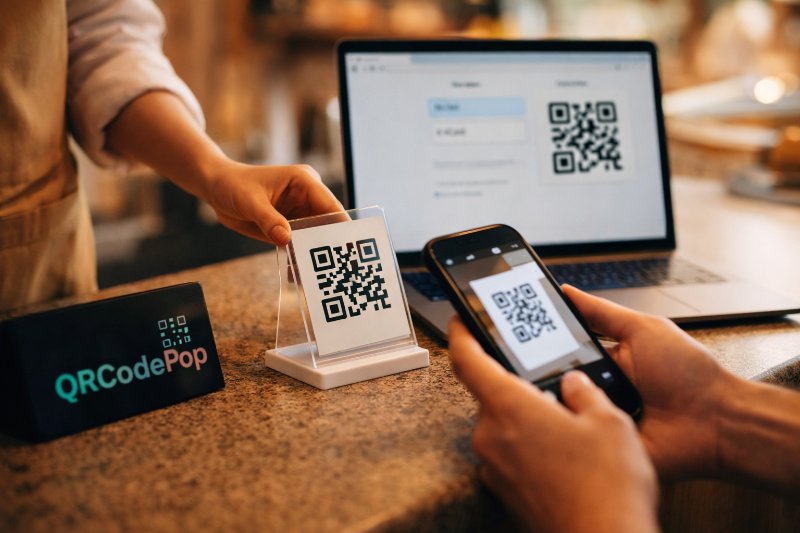
How to Use a Free QR Code Generator Today

QRCodePop
Introduction
A free QR code generator can turn a plain link, menu, file, or contact card into something people can scan in seconds. For a small business, that means less friction and a smoother customer experience. People do not need to type a long web address, and staff do not need to answer the same basic questions again and again. Another advantage is that a free QR code generator can still be useful when the budget is limited. We can use one for flyers, packaging, table tents, event signs, business cards, product labels, and more. The key is knowing how to create a code that scans quickly, looks clean, and sends people to the right place.
What you’ll need before you create a QR code
Before we open any free QR code generator, it helps to decide what the code should do. A QR code is only as useful as the destination behind it. If the link is cluttered, outdated, or difficult to use on a phone, the code will not help much.
Static vs. dynamic QR codes
Not every free QR code generator offers both options, so it helps to understand the difference first.
Static QR codes point to one fixed destination.
Good for permanent links
Usually simple and free
Cannot be edited after creation
Dynamic QR codes use a short redirect link.
Good for campaigns that may change
Often include scan tracking
Let us update the destination later
A restaurant menu that changes often may benefit from a dynamic code. A business card that links to a permanent contact page may work perfectly well as a static code.
What to prepare in advance
Gather these items first:
The exact link, file, phone number, or text you want people to reach
A mobile-friendly landing page
Your logo, if you want branding
Brand colors, if you plan to customize the design
A clear use case, such as “view menu” or “book now”
It also helps to answer two simple questions:
Where will people scan this code?
What should they do right after scanning?
If we can answer both, the code will be easier to design, place, and measure.
Step-by-step: how to create a QR code that actually works
Most tools follow the same flow, whether we use a free QR code generator on desktop or mobile. The process is simple, but the details make a big difference.
Step 1: Choose the right free QR code generator
Look for a tool that handles these basics well:
Creates high-resolution files
Works without forcing a complicated setup
Lets us test before downloading
Offers PNG and SVG or PDF options
Supports dynamic codes if tracking matters
If the tool hides the file download, places watermarks over the code, or makes the final result harder to scan, it is best to choose another one.
Step 2: Pick the QR code type
Select the format that matches your goal:
URL for websites, product pages, order forms, or reviews
PDF or file for menus, brochures, or guides
vCard for contact details
Text for short instructions
SMS or phone for fast contact
Wi-Fi for guest network access
Email for support or quote requests
For most businesses, a URL QR code is the safest place to start. It is easy to manage on your site, and it works well for many campaign goals.
Step 3: Add the correct destination
Paste the full destination carefully. Then check it for:
Spelling errors
Extra spaces
Broken links
Mobile usability
Slow page load times
Most people can finish this in a few minutes with a free QR code generator, but this is the step worth slowing down for. One bad link can waste an entire print run.
Step 4: Customize the design without hurting readability
A QR code can reflect your brand, but function comes first. Keep the design simple and practical. Best practices:
Use dark shapes on a light background
Keep strong contrast
Add a logo only if it does not cover too much of the center
Avoid very thin lines or overly decorative patterns
Leave a white border around the code, often called the quiet zone
If you add a call to action near the code, make it direct:
Scan to view the menu
Scan to book an appointment
Scan for event details
Scan to download the guide
That short instruction often matters more than the design itself.
Step 5: Download the right file format
Use the file type that fits where the code will appear:
PNG for websites, social posts, and general use
SVG for large print because it stays sharp when resized
PDF for print-ready layouts
If the code will go on a poster, banner, or packaging, export a high-quality file. Small, blurry images can fail once they are printed.
Step 6: Test it on multiple phones
Any free QR code generator is only useful if the finished code scans quickly in real conditions. Test before you publish anything. Use this checklist:
Scan with both iPhone and Android if possible.
Test in bright light and lower light.
Stand at the expected scanning distance.
Confirm the link opens the correct page.
Make sure the page is mobile-friendly.
Check that forms, menus, and buttons work after the scan.
If it takes more than a second or two to register, adjust the size, contrast, or destination page.
Common mistakes to avoid
Even a solid free QR code generator cannot fix poor setup choices. These are the mistakes that cause the most problems.
Making the code too small
A code on a business card can be small, but a code on a wall sign needs to be much larger. As a simple rule, the farther away people stand, the larger the code should be. Avoid:
Tiny codes on posters
Crowded layouts with no white space
Stretching the code out of shape
Using weak color contrast
Light gray on white may look sleek, but it often scans badly. Keep contrast high. Black on white is still the safest option. Avoid:
Metallic finishes that reflect light
Busy photo backgrounds
Neon color combinations that reduce readability
Sending people to the wrong place
The QR code should match the promise around it. If the sign says “View menu,” do not send people to the home page and make them search for it. Make sure the destination is:
Relevant
Fast to load
Easy to use on mobile
Focused on one next action
Forgetting to track results
If the code supports dynamic links and scan data, use that option when the campaign matters. Tracking helps us answer questions like:
Which flyer got the most scans?
What time of day do people scan?
Which event sign performed best?
Without data, it is harder to improve future campaigns.
Skipping a clear call to action
A plain code with no explanation often gets ignored. Tell people why they should scan. Good examples:
Scan for today’s specials
Scan to join the waitlist
Scan to leave a review
Scan to get setup instructions
When it makes sense to call a professional
A free QR code generator is perfect for simple jobs, but some situations need more support.
Signs you may need expert help
Consider outside help if:
You need many QR codes across products or locations
You want branded landing pages tied to each code
You need analytics for a serious campaign
You are printing thousands of pieces and cannot afford errors
You need the codes to connect with a CRM, POS, or marketing platform
You have accessibility or compliance requirements
In those cases, the code itself is only one part of the project. The landing page, tracking setup, print specs, and reporting matter just as much. If the campaign will affect sales, customer service, or event turnout in a major way, experienced guidance can save time and help prevent costly mistakes.
FAQ
Is a free QR code generator really free?
Often, yes. Many tools let us create a basic static QR code at no cost. Some charge for extras like dynamic editing, scan tracking, advanced design options, or long-term hosting.
Do QR codes expire?
Static QR codes usually do not expire, as long as the destination still works. Dynamic QR codes can expire if the service limits the trial period or plan features, so always check the terms before printing a large batch.
Can we put a logo in the middle?
Yes, but keep it small. Too much coverage in the center can make the code harder to scan. Always test on multiple phones after adding a logo.
What is the best use for a business owner?
Start with one simple goal. Good first uses include:
A menu link
A review request
A booking page
A payment link
A product guide
A lead form at events
Summary and key takeaways
Here are the main points to remember:
Choose static codes for fixed links, dynamic codes for flexibility and tracking
Keep the destination mobile-friendly and closely matched to the call to action
Use strong contrast, enough white space, and the right file format
Test on real phones before printing or posting
Use analytics when results matter
Get expert help for large campaigns, complex tracking, or high-volume printing
A good QR code is simple, clear, and easy to scan. If you want to put this into action, QRCodePop lets you create a code free, instantly, with no credit card or signup required. If you need more flexibility, you can also sign up free for 7-day dynamic codes with scan tracking, or use the one-time $3 option for a single event or campaign, with no subscription.
Disclaimer: The content on this blog is for informational purposes only. While we do our best to keep everything accurate and up to date, QRCodePop makes no guarantees about the completeness or reliability of any information published here.