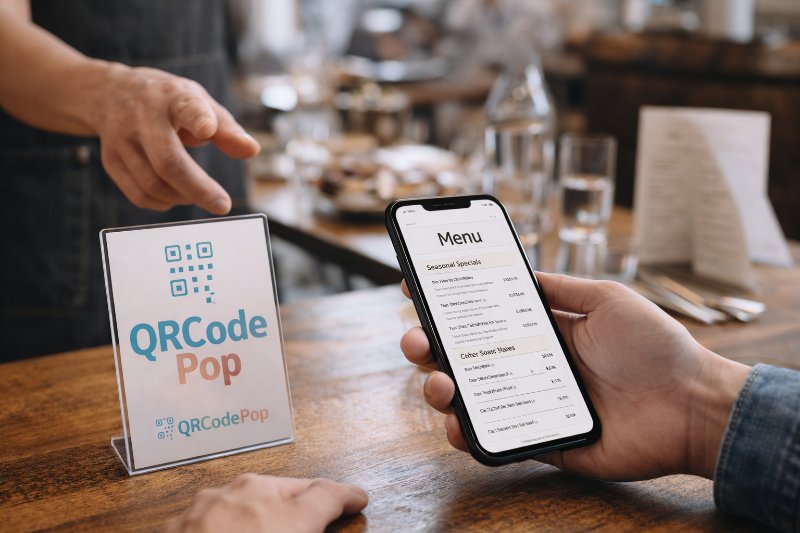
Restaurant QR Code Menu Tips, Paramus NJ

QRCodePop
A printed menu can slow a restaurant down in ways owners feel every day. Prices change, specials sell out, seasonal items come and go, and a single typo can live on every table until the next reprint. A well-built restaurant QR code menu in Paramus, NJ solves that problem by turning every table tent, window sign, receipt, or counter card into a fast path to the current menu. For restaurants that want fewer bottlenecks and a cleaner guest experience, that shift is practical, not trendy. QRCodePop helps make that process simple, especially for operators who want speed without a complicated setup.
In a busy restaurant market like Paramus, NJ, guests also expect convenience. They want to scan, browse, and decide without waiting for a server to drop off a menu or explain what is unavailable. That does not mean every restaurant needs the same setup. The right QR menu depends on service style, menu size, how often items change, and whether the goal is faster ordering, easier updates, better branding, or clearer performance data. This guide breaks down what matters, what to avoid, and how to build a QR menu system that actually supports service.
What a restaurant QR menu should actually improve
It should remove friction at the table
A QR menu is only useful if it makes a guest’s next step easier. For a QR code menu for restaurants in Paramus, NJ, the real value is not the code itself. It is what happens after the scan.
A strong setup should help with:
Faster menu access during busy periods
Fewer delays when physical menus are unavailable
Instant updates for sold-out items or daily specials
Cleaner presentation for dine-in, takeout, and patio service
Less staff time spent reprinting or replacing menus
If a customer scans and lands on a slow page, a hard-to-read PDF, or an outdated menu, the system fails. The scan has to feel effortless.
It should make menu changes easy, not stressful
This is where the difference between basic and flexible tools matters. With simple QR code generation, a restaurant can create a code that links to a menu page. That works for a fixed destination. But restaurants rarely stay fixed. Prices change. Limited items rotate. Catering pages get added. Happy hour hours shift.
That is why many operators move to dynamic QR codes. A dynamic code lets the restaurant keep the same printed code while changing where it points behind the scenes. That means:
No reprinting table cards every time a menu URL changes
Easier updates for breakfast, lunch, dinner, and specials
Better control over seasonal campaigns
Less waste from outdated printed materials
For any restaurant QR menu setup that will change over time, dynamic control is often the most practical choice.
It should tell you what guests are doing
A menu that gets scanned but does not produce insight is only doing half the job. Good scan analytics show when people scan, where scans happen, and which code placements perform best. That matters because many restaurants guess at guest behavior when they could measure it.
Useful data can answer questions like:
Are more people scanning from table tents or window signs?
Does the lunch code get more activity than the dinner version?
Are guests scanning but not clicking into ordering pages?
Does one placement work better for takeout traffic than dine-in traffic?
That kind of visibility helps owners stop guessing and start improving.
How to build a QR menu that guests will actually use
Step 1, start with the destination before the code
Many restaurants begin with the QR code image. The better approach is to start with the menu experience itself. Before creating anything, review the page a guest will see on a phone.
For restaurant QR menus in Paramus, NJ, the landing page should be:
Mobile-friendly
Fast to load on regular cellular service
Easy to read without zooming
Organized by category
Updated in real time when items change
If the menu is long, add quick category jumps such as appetizers, mains, drinks, desserts, and kids’ options. If the restaurant uses photos, keep them compressed so they do not slow the page down.
Step 2, choose the right code type for the job
Not every menu needs the same setup. A small pop-up with one fixed page may only need a simple link. A full-service restaurant with rotating specials usually benefits from more flexibility.
Use this rule of thumb:
Static code if the destination will rarely change
Dynamic code if menu links, offers, or campaign pages may change
Branded QR codes if trust and visual consistency matter
Custom QR design if the code will appear in guest-facing materials and needs to match the restaurant’s look
Custom styling is not only cosmetic. A code that reflects the restaurant’s color palette and logo can look more intentional, which often improves scan confidence. The key is to keep contrast high and design readable so the code still scans reliably.
Step 3, place codes where guests naturally pause
Placement often matters more than design. A beautifully designed code hidden at the bottom of a cluttered flyer will underperform a plain one placed where guests naturally look.
Good spots include:
Table tents or acrylic stands
Host stand signage
Window decals for after-hours menu browsing
Takeout counters
Receipts for reorders or loyalty prompts
Catering packets or event displays
Add a short action line near the code, such as “Scan to view today’s menu” or “Scan for current specials.” Guests should never have to guess what happens next.
Step 4, test and improve instead of setting it once
One of the most overlooked advantages of a digital menu system is testing. With A/B testing, a restaurant can compare two versions of a code, landing page, or callout to see which one gets more scans or better engagement.
Simple tests might include:
Table tent vs sticker on the table edge
“View menu” vs “See today’s specials”
Black-and-white code vs branded version
Single menu page vs category-first landing page
This is especially useful for a restaurant QR code menu setup in Paramus, NJ where lunch, dinner, and takeout behavior may differ. Small changes can produce clearer results than most owners expect.
Common QR menu problems that hurt the guest experience
Using a PDF that is hard to read on mobile
This is one of the most common mistakes. A PDF designed for printing often looks cramped on a phone. Guests pinch, zoom, scroll sideways, and lose patience. A mobile page is usually a better choice than a print-style file.
If a PDF must be used, make sure it is:
Optimized for phone screens
Small enough to load quickly
Clearly separated into sections
Updated every time the menu changes
Printing codes too small or with poor contrast
A code can fail simply because it was printed at the wrong size or on a reflective surface. Busy backgrounds, low contrast, or glossy finishes can all reduce scan success.
To avoid that:
Keep strong contrast between the code and background
Leave clear space around the code
Test on multiple phones before printing at scale
Avoid placing codes where glare is heavy
Make the code large enough for comfortable scanning from the expected distance
Sending every guest to the same generic page
A digital menu QR code for a restaurant in Paramus, NJ should match the customer context. A dine-in table code may need a menu. A takeout bag code may work better for reorders. A window code after hours may need current hours, menu, and online ordering in one place.
Different situations often deserve different destinations. That is where dynamic routing and better campaign planning become valuable.
Ignoring performance after launch
Some restaurants print a code once and never look at it again. That misses the biggest opportunity. If scans are low, the issue may be placement, messaging, or page speed. If scans are high but orders are not, the problem may be what happens after the scan.
Regular review of scan analytics helps answer whether the system is doing its job.
When it makes sense to upgrade from basic to strategic
Signs your current menu setup is costing time or sales
A simple code is fine until the restaurant starts needing more control. If any of the following sound familiar, it may be time to move beyond a one-time generator:
Staff keeps replacing outdated printed menus
Promotions change faster than print materials can keep up
Guests ask for links because the code leads to the wrong page
Management wants better visibility into scan behavior
The menu system looks disconnected from the restaurant brand
At that stage, a stronger restaurant QR code menu in Paramus, NJ is less about convenience and more about operating cleanly.
Why branding and data matter more over time
As restaurants grow, consistency matters. Branded QR codes help the code feel like part of the business instead of a generic add-on. Custom QR design can improve trust when the code appears on tables, storefront signage, packaging, or catering materials.
At the same time, data helps management make decisions with more confidence. Knowing which placements work, which menus get the most scans, and when guest behavior changes can guide staffing, promotions, and layout choices. A better QR menu is not just a tech upgrade. It is an easier way to manage a moving target.
Key takeaways and next steps
If the goal is a better restaurant QR code menu in Paramus, NJ, the smartest approach is to focus on the guest experience first and the code second. The best systems are easy to scan, easy to read, easy to update, and easy to measure.
Here are the main takeaways:
Start with a mobile-friendly menu page, not just the code image
Use dynamic QR codes if links, offers, or menu items change often
Put codes where guests naturally pause and add a clear prompt
Use scan analytics to learn what is working
Test placements and wording with A/B testing
Choose branded QR codes and custom QR design when trust and presentation matter
For restaurant owners who want a cleaner setup, fewer reprints, and more flexibility, QRCodePop offers a practical way to handle QR code generation, design, tracking, and updates. Questions about setup or features can be sent through the QRCodePop contact page, which is the simplest way to reach the team.
Anyone who wants to test the idea can try QRCodePop free, no credit card and no signup required, or explore free and paid QR code options with dynamic tracking. There is also a no-subscription $3 option for anyone who just needs one code for an event or short campaign.
Disclaimer: The information provided is for general informational purposes only. This content does not constitute professional advice.
Related Articles
Free QR Code Generators vs Paid: What You Lose
For a personal project, that may be enough. For a business, the math changes fast. Once a QR code appears on packaging, direct mail, posters, trade show signs, invoices, appointment cards, or product inserts, it becomes part of your customer journey.
Best QR Code Maker in Paramus NJ
The real challenge is not whether to use QR codes, it is choosing a platform that makes them easy to create, easy to manage, and easy to measure. That is why many owners start searching for the best QR code maker in Paramus, NJ.
Social Media QR codes Paramus Guide
That is why more businesses are using social media QR codes in Paramus to connect offline attention with online action in one fast scan. For businesses in Paramus, NJ, this matters because foot traffic and local visibility still drive discovery.