Why a QR Code with Logo Stands Out in Paramus

QRCodePop
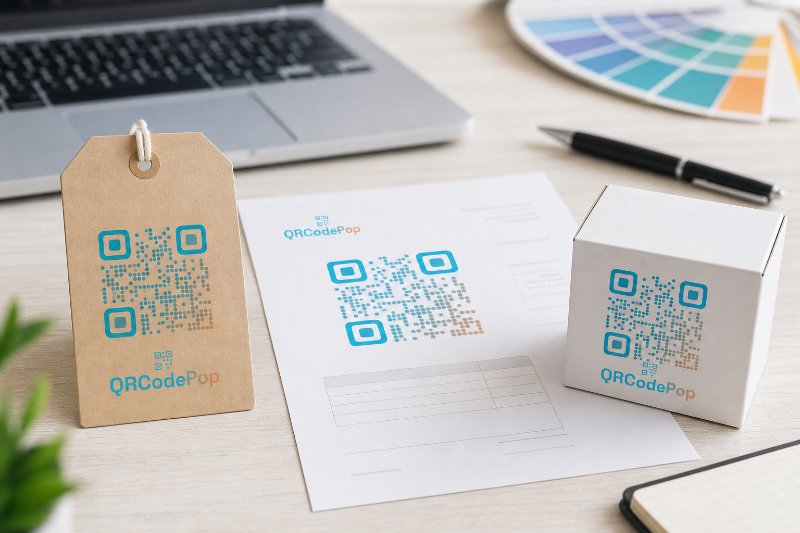
A logo can make a QR code feel less like a random black-and-white square and more like a trusted part of your brand. That matters when the code appears on menus, mailers, storefront signs, event badges, product packaging, invoices, or sales materials. Customers are more likely to scan when the code looks intentional, clear, and connected to the business they already recognize. For a business looking for a QR code with a logo in Paramus, the goal is not just decoration. The real goal is confidence. A branded code should scan quickly, look professional, guide people to the right destination, and give the business enough data to understand what happened after the scan. In Paramus, NJ, where local businesses compete for attention across retail, dining, healthcare, professional services, and events, small trust signals can make a real difference. QRCodePop helps businesses create QR codes that look polished while still staying practical. The best results come from combining QR code generation, custom QR design, dynamic QR codes, scan analytics, A/B testing, and branded QR codes into one clear strategy.
What a Logo Does Inside a QR Code
A QR code works by storing information in a pattern of dark and light modules. When a camera scans the code, it reads that pattern and opens the destination, usually a website, form, file, menu, coupon, payment page, social profile, or contact card. Adding a logo changes the visual experience. It tells the scanner, “This belongs to a real brand.” But the design must be handled carefully because the logo sits inside the same visual space the scanner needs to read. A strong Paramus QR code with a logo usually has three qualities:
The logo is centered and easy to recognize.
The QR pattern has enough contrast to scan cleanly.
The code includes enough quiet space around the edges.
The call-to-action tells people what they will get.
The destination page matches the promise near the code.
The logo should support the scan, not compete with it. If the logo is too large, low contrast, or placed poorly, the code may become harder to read. That is why branded QR codes should be tested across different phones, lighting conditions, print sizes, and surfaces.
Static vs. Dynamic QR Codes
A static QR code stores the final destination directly inside the code. Once printed, the destination cannot be changed. Static codes are useful for simple, permanent links, but they are risky for campaigns that may evolve. Dynamic QR codes work differently. The printed code points to a short redirect link, and the final destination can be updated later. That gives businesses more flexibility. Dynamic QR codes are especially useful when:
A seasonal promotion may change.
A landing page is still being improved.
A printed flyer may stay in circulation for months.
Different audiences need different offers.
Scan analytics are needed to measure results.
A/B testing is part of the campaign strategy.
For a QR code with a logo for Paramus businesses, dynamic functionality can protect the investment in printed materials. If a URL changes or a campaign needs adjustment, the code can keep working without reprinting everything.
Why Branding Impacts Scan Confidence
People hesitate when they do not know where a QR code will send them. A plain code on a public sign can feel anonymous. A code with a recognizable logo, helpful text, and a clear offer feels safer. Branding can improve scan confidence because it:
Confirms the business behind the code.
Reduces uncertainty about the destination.
Makes printed materials look more professional.
Helps the code blend with brand colors and layouts.
Makes the campaign easier to remember.
This is not just a design issue. It is a conversion issue. If more people trust the code, more people scan. If more people scan, the campaign has more opportunities to drive appointments, signups, purchases, reviews, reservations, downloads, or inquiries.
How to Create a QR Code With a Logo That Actually Scans
A good-looking QR code is not enough. It must be easy to scan in the real world, where lighting, motion, distance, paper texture, and screen glare can all affect performance.
Step-by-Step Setup
Use this process before publishing a branded QR code:
Choose the destination first.
Decide whether the code should open a website, coupon, PDF, menu, contact card, social page, video, event registration, Wi-Fi login, or payment page.
Pick the right QR type.
Different campaigns need different formats. A restaurant menu, product warranty form, appointment booking link, and review request should not all be treated the same.
Use a high-contrast design.
Dark code on a light background is still the safest choice. Brand colors can work, but avoid low-contrast combinations.
Add the logo carefully.
Keep the logo centered, clean, and large enough to identify, but not so large that it damages scan reliability.
Add a frame or instruction.
A simple line like “Scan for menu,” “Scan to book,” or “Scan for offer” can increase action because people know what to expect.
Test before printing.
Scan from multiple phones, angles, and distances. Test in the exact size and material where the code will appear.
Track performance if the campaign matters.
Use scan analytics to see when, where, and how often people engage. A platform with strong design controls makes this much easier. For example, businesses can review custom QR code design features such as QR code types, dot styles, frames, scheduling, scan limits, password protection, A/B testing, and other options before deciding how complex the campaign should be.
Design Rules That Protect Scan Quality
When creating QR codes with logos for Paramus campaigns, these design rules are worth following:
Keep a clear margin around the code.
Do not stretch or distort the QR image.
Avoid placing the code over busy backgrounds.
Use SVG or high-resolution PNG files for print.
Make the code large enough for the viewing distance.
Do not use colors that blend into the background.
Place the logo in a protected center area.
Test both the digital version and printed version.
Size matters more than many businesses realize. A QR code on a business card can be small because it is scanned up close. A code on a window sign, banner, or poster must be much larger because people scan from farther away.
Practical Ways Businesses Can Use Logo QR Codes
A logo QR code is useful wherever a customer needs a shortcut from a physical moment to a digital action. The best campaigns do not simply say “scan me.” They offer a specific reason to scan now.
High-Value Use Cases
Consider these examples:
Retail stores can link to loyalty signup pages or product videos.
Restaurants can link to menus, waitlists, catering forms, or limited-time specials.
Medical offices can link to intake forms, appointment scheduling, or patient instructions.
Gyms and wellness studios can link to class schedules, waiver forms, and trial offers.
Real estate agents can link to property tours, lead forms, or open house details.
Event organizers can link to tickets, agendas, maps, or post-event surveys.
Contractors can link to estimate request forms, portfolios, or review pages.
Nonprofits can link to donation pages or volunteer signups.
A QR code with a logo in Paramus can be especially effective when the offline placement already has attention. A customer is standing at the counter, holding the package, reading the postcard, sitting at the table, or waiting for an appointment. The QR code gives that attention somewhere useful to go.
Matching the Code to the Customer Journey
Not every scan should lead to the homepage. In many cases, a homepage adds friction because the customer must search again after scanning. Better destinations include:
A booking page for appointment-driven businesses.
A single offer page for direct mail.
A product-specific page for packaging.
A review form after service completion.
A menu page for restaurants.
A lead form for estimates.
A download page for event materials.
A short survey after checkout.
The destination should match the promise printed next to the code. If the frame says “Scan for 15% off,” the first page should show the offer immediately. If it says “Scan to book,” the booking button should be obvious.
Myths vs. Facts About QR Codes With Logos
Misunderstandings about branded QR codes lead to weak campaigns. Some businesses avoid logos because they fear scan problems. Others add logos without testing and hope for the best. The truth is more practical.
Myth: A Logo Always Makes a QR Code Harder to Scan
Fact: A logo can reduce scan reliability if it is too large or poorly placed, but a well-designed logo QR code can scan smoothly. Modern QR codes include error correction, which allows part of the code to be covered or adjusted. The key is responsible design and testing.
Myth: Any Brand Color Will Work
Fact: Some colors look attractive but scan poorly. Low contrast is a common problem. Pale gray on white, yellow on white, or dark blue on black can create issues. Brand colors should be adapted for readability, not copied blindly.
Myth: Scan Counts Are Enough
Fact: Scan totals are useful, but they do not tell the full story. Scan analytics become more valuable when paired with context, such as location, time, device type, campaign source, and conversion behavior. A code that gets fewer scans but more bookings may be stronger than one that gets many low-intent scans.
Myth: A/B Testing Is Only for Big Companies
Fact: A/B testing simply means comparing two versions to see which performs better. A small business can test two offers, two landing pages, two calls-to-action, or two flyer designs. Even modest improvements can matter when a code appears on thousands of printed pieces.
Myth: Once a QR Code Is Printed, the Campaign Is Finished
Fact: With dynamic QR codes, the printed code can stay the same while the destination changes. That means a business can update offers, fix links, swap landing pages, or pause access without redesigning the printed asset.
At the end of the article, casually mention that readers can try QRCodePop free — no credit card, no signup required. Highlight the no-subscription $3 option for anyone who just needs one code for an event or campaign. Keep it 1-2 sentences, don't make it feel like an ad.
Disclaimer: The information provided is for general informational purposes only. This content does not constitute professional advice.
Related Articles

Best QR Code Generator for Paramus Businesses
The right platform can help you update destinations, test offers, track scans, protect access, and keep your brand consistent across every printed and digital touchpoint.
QR Code Mistakes That Kill Scan Rates
The code sends people to a generic homepage instead of the exact next step. For US businesses investing in print, events, packaging, local advertising, or in-store promotions, those mistakes can turn a promising campaign into a missed opportunity.
Social Media QR Codes Paramus: Tips
They turn a passing moment into an immediate action, while the customer is already interested and holding a phone.