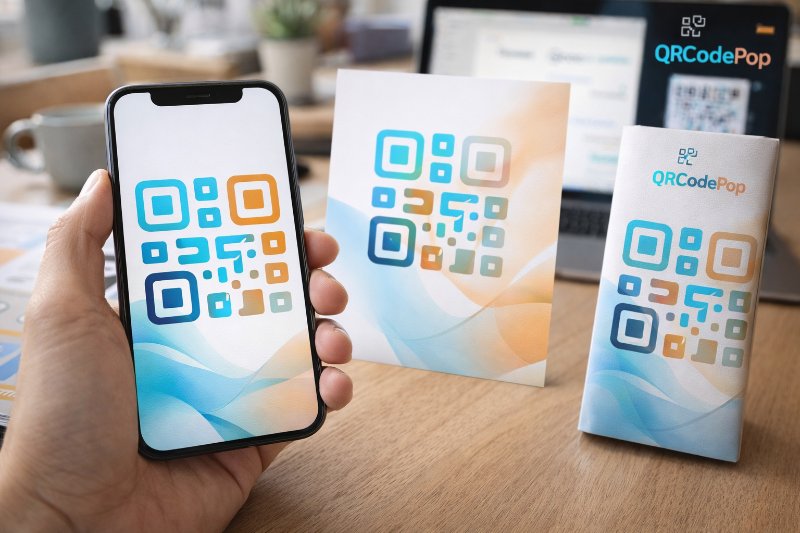
How to Create a Custom QR Code That Converts

QRCodePop
A QR code should make the next step easier, not harder. But a plain black square does not always fit a brand, stand out on a poster, or build trust fast enough for someone to scan. A custom QR code solves that problem by blending function with design, so the code looks like part of the customer experience instead of an afterthought.
For small businesses, that matters more than it seems. People scan when a code feels clear, useful, and safe. If the design matches the brand and the destination makes sense, scans can rise. If the code is hard to notice, poorly printed, or too heavily stylized, results can drop fast. The goal of a custom QR code is not just to look better, it is to remove friction and improve response.
What a custom QR code needs before it goes live
A good-looking code starts with planning. Before building a custom QR code, it helps to decide what the scan should do, where people will see it, and what action matters most.
Start with one clear goal
Choose one job for the code. Trying to make one QR code do everything usually weakens results.
Send visitors to a product page
Open a restaurant menu
Collect event registrations
Download an app
Save contact details
Claim a coupon or special offer
If the destination is focused, the scan is more likely to turn into action.
Gather the design basics first
The goal is not to decorate a custom QR code just because it is possible. The design should support recognition, readability, and trust.
Brand colors, with strong contrast
Your logo, if it does not block scanning
A short call to action such as “Scan for menu” or “Scan to book”
The final destination link
The expected print size and placement
Know static vs dynamic codes
This choice affects flexibility later.
Static QR codes point to a fixed destination and cannot usually be edited once created.
Dynamic QR codes let you update the destination later and often include scan tracking.
For short-term use, static may be enough. For campaigns, printed materials, or testing different pages, dynamic is usually the smarter choice.
How to create a custom QR code that people actually scan
Design matters, but performance matters more. A custom QR code should stay easy for phones to read in real-world conditions, not just on a laptop screen.
Step 1: Pick the right destination
Choose a mobile-friendly page.
Make sure it loads fast.
Match the page to the promise near the code.
Keep distractions low, so visitors know what to do next.
If a flyer says “Scan for pricing,” the page should open directly to pricing, not the homepage.
Step 2: Choose a shape and style with care
A custom QR code works best when the branding is noticeable but the basic structure stays intact. Most tools let you change colors, corner styles, eye shapes, frames, and backgrounds.
Use dark foreground elements on a light background
Avoid low-contrast color pairs like yellow on white
Leave enough white space around the code
Use a frame or label if the code needs more attention
Think of customization as controlled branding, not unlimited art.
Step 3: Add a logo without blocking the pattern
Many businesses want the code to include a logo in the center. That can work well, but only if the logo stays small enough. QR codes have built-in error correction, which means some missing pieces can be tolerated, but there are limits.
Keep the logo simple
Do not cover key corners
Make sure the logo does not blend into the code pattern
Test on multiple phones before printing
Step 4: Size it for the real world
Screen size is not the same as print size. A code that scans on a desktop mockup may fail on a table tent, package, sign, or trade show banner.
Use a larger size for anything viewed from a distance.
Avoid placing codes on curved, glossy, or wrinkled surfaces.
Keep it away from busy backgrounds.
Leave quiet space around the code so phone cameras can isolate it.
As a simple rule, the farther away people stand, the larger the code should be.
Step 5: Test the custom QR code before launch
Testing is where many businesses save themselves from wasted prints. A custom QR code should be checked in the same conditions where customers will use it.
Test on both iPhone and Android
Test in bright light and low light
Test from different distances
Test after printing, not just on screen
Test with the final landing page live
Pre-launch checklist for a custom QR code
Use this quick checklist before anything goes public:
The destination page matches the offer or message
The code uses high contrast and readable colors
The logo does not interfere with scanning
The printed size fits the viewing distance
The page loads quickly on mobile
The code has been tested on multiple devices
A call to action tells people why they should scan
Tracking is enabled if campaign data matters
Common mistakes that weaken results
Even a good-looking custom QR code can fail if the basics are ignored. Most problems are simple, but they have a direct impact on scans and conversions.
Making the design too clever
Making the custom QR code too artistic is one of the most common mistakes. Over-styled patterns, low contrast, busy backgrounds, and oversized logos can all reduce scan reliability.
Do not sacrifice function for style
Do not hide the code inside complex graphics
Do not use trendy colors if they lower contrast
Sending traffic to the wrong page
If someone scans a code on a menu, product label, poster, or receipt, the destination should feel obvious. Sending every scan to a homepage creates extra work and lowers response.
Match the page to the context
Reduce clicks after the scan
Keep forms short on mobile
Forgetting the call to action
People do not always scan a code just because it is there. A short prompt improves response.
Scan to view the menu
Scan to claim 10% off
Scan to book a demo
Scan to download the guide
Specific instructions beat vague curiosity.
Skipping analytics when data matters
If the code is part of a campaign, event, print ad, or product launch, measurement matters. Without tracking, it is hard to know what is working.
Monitor total scans
Compare locations or materials
Check what time scans happen
Watch conversions after the scan
When expert help saves time and protects the campaign
Sometimes a custom QR code is tied to a bigger rollout, such as packaging, retail displays, trade shows, direct mail, or paid advertising. In those cases, a small mistake can become expensive once thousands of pieces are printed.
Professional help is worth considering when:
You need dynamic redirects and tracking
You want branded designs at scale
You are testing multiple landing pages
You need help choosing sizing for print
You want scan data for reporting
If there are questions about design limits, tracking, billing, or setup, it can help to contact the QRCodePop team before launch. A quick check can prevent a costly reprint or a weak campaign.
Key takeaways before you publish
The best custom QR code is not the fanciest one. It is the one that scans quickly, matches the message, and leads people to the right next step.
Start with one clear goal
Keep branding visible but controlled
Use high contrast and enough white space
Size the code for where people will use it
Always test on real devices and printed materials
Use tracking when performance data matters
When those basics are in place, a custom QR code becomes more than a design element. It becomes a practical conversion tool that connects offline attention to online action in a fast, measurable way.
If it helps, readers can try QRCodePop free, with no credit card and no signup required, or explore free and paid QR options for 7-day dynamic codes with scan tracking. For a one-off event or campaign, there is also a $3 no-subscription option.
Disclaimer: The content on this blog is for informational purposes only. While we do our best to keep everything accurate and up to date, QRCodePop makes no guarantees about the completeness or reliability of any information published here.
Related Articles
Create a QR Code for your Business Card Today
People lose cards, type web addresses incorrectly, or forget to save contact details. A QR code for business card use solves that gap by turning a printed card into a fast digital handoff.
QR Code Maker: Step-by-Step Guide
That sounds simple, but the result depends on the tool behind it. A good QR code maker helps us create codes that are easy to scan, easy to manage, and useful after they go live.
A/B Testing With QR Codes: Optimize Campaigns
That approach is simple, but it leaves a lot to chance. If scans are coming in and conversions are not, the problem might be the page, the offer, the design around the code, or the audience itself.