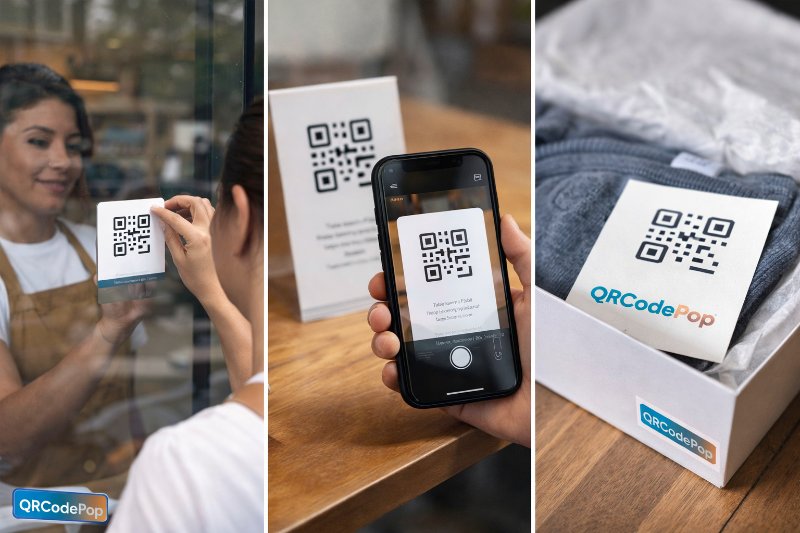
QR Code Placement Guide: Maximize Scans

QRCodePop
A QR code does not succeed just because it exists. It succeeds when it appears in the right place, at the right moment, with a clear reason to scan. For a small business, that difference matters. The same code can feel effortless on a package insert, invisible on a storefront window, helpful on a menu, and awkward on a business card if placement is not planned well.
The best QR code placement is really about reducing friction. People scan when three things line up:
They notice the code quickly
They understand what they will get
They can scan it easily from where they are standing or sitting
That sounds simple, but most low-performing QR codes fail on one of those three points. A code may be too small, too far away, stuck on a curved surface, buried in clutter, or missing a strong call to action. This guide breaks down the best physical and digital placements across packaging, signage, menus, business cards, and social media, with practical rules that help increase real scans.
What strong QR code placement actually does
Good placement is not only about visibility. It also shapes intent. When a person sees a code, the brain makes a quick decision: is this worth the effort? That is why placement should always match the situation the customer is already in.
Match the code to the moment
A QR code works best when the next step feels natural. Think about what the person wants in that exact setting.
On packaging, people often want instructions, product details, or reorder options
On signage, people usually want directions, offers, event info, or quick access
On menus, people may want nutrition facts, ordering, or specials
On business cards, they often want contact details without typing
On social media, they need a reason to move from one screen or format to another
Use the visibility, clarity, scan formula
Before placing any code, it helps to check three basics:
Visibility: Can people spot it without searching?
Clarity: Do they know what happens after the scan?
Scan comfort: Can they physically scan it from a normal distance and angle?
If one part is weak, engagement drops fast. A beautiful code in the wrong spot still underperforms.
Best QR code placements by channel
Packaging, where post-purchase attention is strongest
Packaging is one of the most valuable places for a QR code because the customer already has the product in hand. Interest is high, and distractions are lower than in many advertising settings.
The strongest packaging placements are usually:
Near the opening flap, where people naturally look during unboxing
On a back or side panel with enough flat space for easy scanning
On an insert card, where a short message can explain the benefit clearly
On labels for products that need setup, care, or refill instructions
Best uses for packaging QR codes include:
How-to videos
Registration or warranty pages
Reorder links
Product authenticity checks
Loyalty or review prompts
Avoid putting the code on a seam, curved edge, reflective wrap, or crowded legal panel. If the package includes compliance language or campaign terms, make sure customers can easily access the fine print and review any usage policies and service rules connected to the experience.
Signage, where distance changes everything
Signage placement is less forgiving than packaging because viewing distance matters. A code that works at arm’s length may fail from six feet away. As a practical rule, the farther the viewer, the larger the code needs to be.
For signs, the highest-performing placements are usually:
At eye level or slightly below, not near the floor or ceiling
In a clean area with high contrast around the code
Beside one strong action message, not buried among many offers
Near entrances, checkout points, waiting areas, and product displays
Good examples include:
Retail window signs linking to current hours or promotions
Event posters linking to schedules or registration
Tabletop signs in lobbies or salons linking to booking pages
Counter signs linking to reviews, loyalty signups, or menus
Avoid placing codes behind glass when glare is heavy, in direct sunlight without testing, or where people would need to stop traffic to scan.
Menus, where speed and trust drive scans
Restaurants, cafes, food trucks, and bars often get strong results from QR codes because the customer already expects to make a choice. The key is to place the code where it supports that decision instead of interrupting it.
The best menu placements are usually:
Top right or center-right of tabletop displays
On the front of a menu sleeve with one clear promise
On takeout packaging for reorder and loyalty actions
Near the register for digital menu access during rush periods
Useful menu scan destinations include:
Digital menus
Allergen and nutrition information
Order-ahead pages
Daily specials
Feedback or review links
To improve scans, add short helper text such as “Scan to see today’s specials” or “Scan for allergy details.” People are more likely to scan when the benefit is specific.
Business cards, where space is limited
A QR code on a business card should save time, not compete with the card itself. This is one of the easiest places to overdo it. The code should support contact sharing, not turn the card into a puzzle.
The strongest spots are usually:
The back of the card, centered with enough white space
A corner of the front only if the card remains uncluttered
Next to a short action line such as “Save contact” or “Book a call”
Best destinations for business card QR codes:
Digital contact cards
Appointment booking pages
Portfolio or service overview pages
LinkedIn profiles for sales and consulting roles
Avoid sending business card traffic to a generic homepage. The user intent is personal and immediate, so the destination should be just as direct.
Social media, where QR codes need a second-screen purpose
QR codes on social platforms are often misused because most people view posts on the same phone they would use to scan. That means placement matters less than format. A social QR code works best when the audience has access to another device, or when the content appears in a physical setting first and then gets shared online later.
Strong digital placements include:
Event graphics likely to be viewed on desktops or shared in presentations
Stories or posts designed for audiences watching on TV screens, tablets, or laptops
Video end cards shown during webinars, livestreams, or in-store screens
Printable social assets that move from digital creation to physical display
For social, the code should usually support one of these actions:
Join a giveaway
Download a resource
Claim an offer at an event
Open a landing page shown during a presentation
If the audience is almost certainly on mobile, a clickable link often beats a QR code. Placement is strongest when it respects the screen reality.
How to choose the best placement before printing anything
Good placement decisions can be made quickly with a simple testing process.
A 5-step placement check
Define one goal. Pick one action, such as order, book, register, review, or save contact.
Map the user moment. Ask where the customer is, what they are doing, and how much time they have.
Mock up the real environment. Print the code at actual size and test it on the real package, sign, card, or table tent.
Check scan comfort. Test from the expected distance, under normal lighting, with more than one phone model.
Add a clear prompt. Tell people exactly what they get after the scan.
What to measure after launch
Once a QR code is live, placement should be treated as a testable variable, not a permanent decision. Track:
Total scans by location
Scan rate by type of asset
Time of day or day of week patterns
Conversion after the scan, not just the scan itself
Sometimes a code gets plenty of scans but weak results because the landing page does not match the promise. Placement and destination need to work together.
Placement mistakes that quietly kill engagement
Common errors to avoid
Putting the code where people cannot comfortably stop and scan
Making the code too small for the viewing distance
Using vague text like “Scan me” instead of explaining the benefit
Placing the code on wrinkled, glossy, or curved surfaces
Sending users to a slow or irrelevant page
Using too many QR codes in one area, creating choice overload
Trust signals matter too
People scan more often when the code feels legitimate. Small trust cues help:
Use your brand name near the code
Keep the design clean and professional
Make the destination obvious
Place the code in a context that makes sense
When the code appears random, hidden, or overly promotional, people hesitate.
Key takeaways for higher scan rates
The best QR code placement is less about novelty and more about context. High-performing codes show up where attention is already focused and where the next step feels easy.
Packaging works well because interest is high after purchase
Signage needs larger sizing and clean sight lines
Menus perform best when they reduce decision friction
Business cards should send people to a direct personal action
Social media QR codes work best in second-screen situations
Every code needs a clear reason to scan
Real-world testing beats guesswork
If placement is treated as part of the customer experience, not as an afterthought, QR codes become much more useful and much more measurable.
If a campaign is ready to go, it may help to start simple with QRCodePop’s pricing options, where a free QR code can be created instantly with no credit card or signup required. For short campaigns, there is also a no-subscription $3 option, and free signup unlocks 7-day dynamic codes with scan tracking.
Disclaimer: The content on this blog is for informational purposes only. While we do our best to keep everything accurate and up to date, QRCodePop makes no guarantees about the completeness or reliability of any information published here.
Related Articles
QR Code Design: 9 Best Practices for Scans
For a small business, that matters. A code that fails in the real world can waste print costs, event traffic, packaging space, and customer attention.
QR Code for Marketing: 8 Smart Uses
That sounds simple, but the real value is not the code itself. The value is removing delay, confusion, and extra clicks. But a QR code for marketing works only when the campaign around it is clear.
Optimize Marketing with QR Code for Business
That is where a QR code for business becomes useful. It gives people one fast next step, on a poster, package, receipt, table sign, invoice, handout, or storefront display.