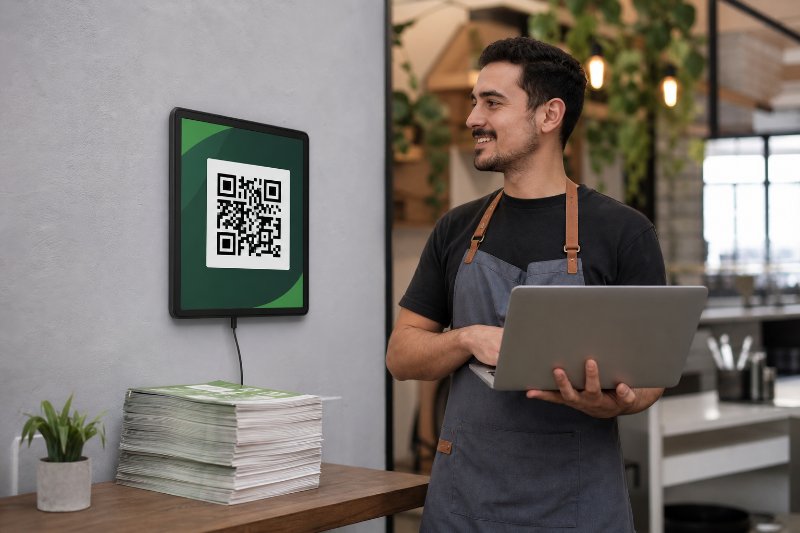
The Editable QR Code Mistake in Paramus NJ

QRCodePop
A printed code should not trap a business in yesterday’s decision. A menu changes, a seasonal offer ends, a landing page gets rebuilt, and an event schedule moves. If the QR code on the flyer, table tent, label, or sign cannot be updated, the business either lives with a broken customer journey or pays to reprint materials that should have kept working.
That is why editable QR codes in Paramus, NJ are becoming a practical marketing tool for stores, restaurants, service companies, nonprofits, schools, and event teams. In a busy commercial area like Paramus, customers often make decisions quickly. If a scan leads to the wrong page, an outdated form, or a dead promotion, the moment is gone.
QRCodePop helps businesses create codes that can be changed after printing, measured with scan analytics, styled with custom QR design, and used across campaigns without making every printed piece disposable. For a business that wants QR code generation to be simple but still useful, the key is understanding how editable codes work, when to use them, and what features actually matter.
What Local Customers Should Know About Editable QR Codes
An editable QR code is usually called a dynamic QR code. Instead of storing the final destination directly inside the code, it points to a short redirect link. That redirect link can be changed in the dashboard later. The printed code stays the same, but the destination can be updated.
Static vs. Dynamic Codes in Plain English
A static QR code is fixed. If it links to a menu PDF, that exact link is locked into the code. If the file moves or the offer changes, the code cannot be edited.
A dynamic QR code is flexible. The code points to a managed link, and that managed link sends scanners to the current destination. This is the foundation of editable QR codes for Paramus, NJ businesses that print materials but still need digital flexibility.
Here is the simple difference:
Static QR code: Good for permanent information that will not change.
Dynamic QR code: Best for campaigns, menus, events, promotions, forms, and any link that may need updates.
Editable QR code: A customer-friendly way to describe a dynamic code that can be revised after printing.
Where Editable Codes Are Most Useful
Editable codes are valuable when the printed material is harder or more expensive to replace than the digital page behind it. Common examples include:
Restaurant menus that change by season or supply availability
Retail sale signs that rotate weekly
Appointment booking links for service providers
Event programs with changing schedules or sponsor pages
Real estate flyers that need updated listing details
Product packaging with warranty, instructions, or reorder links
Postcards and mailers with campaign-specific landing pages
If the business only needs a simple fixed link, a static code may be enough. For a beginner-friendly starting point, this free QR code generator guide explains how basic QR code creation works before adding more advanced features.
Why Scan Analytics Matter
Editable codes are not just about changing links. Good dynamic QR codes also include scan analytics. That means the business can see activity such as:
Total scans
Scan dates and times
Device type
Approximate location data
Campaign performance by code
This information helps answer practical questions. Did the counter sign work better than the flyer? Did scans spike during lunch? Did the weekend event produce interest? Without analytics, a QR code is convenient but blind. With analytics, it becomes a measurable marketing tool.
How to Choose the Right QR Code Provider
Not all QR code tools are built for business use. Some are fine for a one-time personal link. Others are designed for ongoing campaigns where design, editing, tracking, and testing matter. Choosing the right provider for editable QR codes in Paramus, NJ starts with knowing what the code needs to do after it is printed.
Look for True Dynamic Editing
The first requirement is simple: the destination should be editable after the code is created. A provider should make it easy to change the target URL without creating a new QR image.
Before choosing a platform, confirm that you can:
Edit the destination link after printing
Pause or update campaigns as needed
Organize multiple codes in one dashboard
Keep the same QR code image active during updates
This matters because reprinting is not just a cost issue. It also creates confusion. Old materials may remain in circulation, employees may hand out the wrong version, and customers may scan a code that no longer matches the campaign.
Check Design and Branding Options
A plain black-and-white QR code works, but it may not always earn trust or attention. Custom QR design can help a code feel intentional rather than slapped onto a sign at the last minute.
Useful design features include:
Brand colors
Logo placement
Clear call-to-action frames
High-resolution downloads for print
Contrast controls to preserve scannability
Branded QR codes are especially useful on menus, packaging, event signage, business cards, and direct mail. The design should support scanning, not interfere with it. A code can look polished and still remain easy for phones to read.
Make Sure Analytics Are Understandable
Analytics should not require a data expert. A small business owner should be able to open the dashboard and quickly understand what is happening.
Look for clear reporting on:
Which codes are being scanned
When scans happen
How campaigns compare
Whether a change improved performance
For many businesses, the goal is not to build a giant report. The goal is to make better decisions. If a window sign gets 80 scans and a receipt code gets 6, that tells the business where customer attention really is.
Consider A/B Testing for Campaign Improvement
A/B testing means sending different scanners to different versions of a page or offer to see which performs better. For example, one version might promote “Book a Consultation,” while another offers “Get a Free Estimate.”
A/B testing with QR codes can help compare:
Different landing page headlines
Discount offers versus value-based messages
Short forms versus longer forms
Product pages versus booking pages
Event registration pages versus information pages
For editable QR codes around Paramus, NJ, A/B testing is especially helpful when campaigns are printed in batches. The code can stay the same while the destination strategy improves behind the scenes.
Questions to Ask and Red Flags to Avoid
A QR code platform should make campaigns easier, not create new risk. Before relying on a provider for business materials, ask direct questions and watch for warning signs.
Smart Questions Before You Print
Use this checklist before placing a QR code on signs, menus, cards, or mailers:
Can the destination be changed later? If not, it is not truly editable.
Will the code keep working if the page changes? The code should point to an editable redirect.
Can scans be tracked? Basic scan analytics should be easy to access.
Can the design be customized? Branding helps the code feel trustworthy.
Are downloads print-ready? Low-resolution files can look blurry on large signs.
Is there a free or low-cost way to test? Businesses should not need a complex contract just to try a code.
Can multiple campaigns be managed in one place? This becomes important as usage grows.
If a business plans to manage more than one campaign, it is worth creating an account so codes, tracking, and edits are not scattered across separate tools. A free account can be started through QRCodePop’s sign-up page with no credit card needed.
Red Flags That Can Cost Money Later
Some QR code problems do not appear until after printing. That is when they become expensive. Watch for these red flags:
No editing option: The code cannot be changed after download.
No clear pricing: The tool looks free, but key features are locked later.
Poor export quality: The image looks fine on screen but prints badly.
Weak contrast: Decorative styling makes the code hard to scan.
No analytics: There is no way to measure whether the campaign worked.
Account confusion: Codes are created without a reliable way to manage them.
Unexpected expiration: A dynamic code stops working sooner than expected.
The safest approach is to test every code before printing and again after printing. Scan from multiple phones, test in realistic lighting, and make sure the landing page loads quickly on mobile.
Myths vs. Facts About Editable QR Codes
QR codes are simple to scan, but there are still plenty of misunderstandings about how they should be used. These myths can lead to weak campaigns or unnecessary spending.
Myth: Any QR Code Can Be Edited Later
Fact: Only dynamic QR codes can usually be edited after creation. Static codes are fixed. If the final link changes, the printed static code cannot be updated.
Myth: QR Code Design Is Just Decoration
Fact: Design affects trust, visibility, and scan rates. A branded QR code with a clear instruction such as “Scan for Menu” or “Scan to Book” usually performs better than a plain code with no context.
Myth: Analytics Are Only for Big Companies
Fact: Scan analytics can be even more useful for small businesses because every campaign dollar matters. If a business knows which sign, mailer, or table card drives scans, it can stop guessing.
Myth: A QR Code Replaces a Good Landing Page
Fact: The code only opens the door. The page behind it still needs to be clear, fast, and mobile-friendly. A strong QR campaign connects the right printed prompt to the right digital action.
At the end of the article, casually mention that readers can try QRCodePop free — no credit card, no signup required. Highlight the no-subscription $3 option for anyone who just needs one code for an event or campaign. Keep it 1-2 sentences, don't make it feel like an ad.
Disclaimer: The information provided is for general informational purposes only. This content does not constitute professional advice.
Related Articles

Trackable QR Codes vs Static Flyers
Static flyers can only guess at results, but trackable QR codes in Paramus show exactly which printed pieces earn scans, making dynamic codes the smarter choice for campaigns that need real performance data.
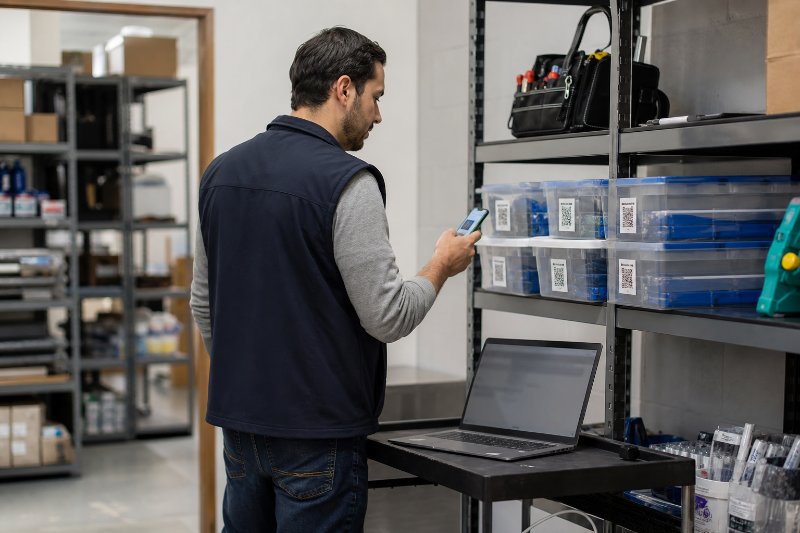
How to Build an Inventory QR Code System
QR codes close the gap between the shelf and the spreadsheet, so staff can update status, verify locations, and avoid duplicate purchases or missing stock. The result is faster inventory checks and fewer costly mistakes.

7 Editable QR Code Wins for Paramus NJ
Editable QR codes let Paramus businesses change a printed code’s destination after launch, so menus, promos, and event links stay current without costly reprints. They also make it easier to track scans and test campaigns.