What Social Media QR Codes Really Cost

QRCodePop
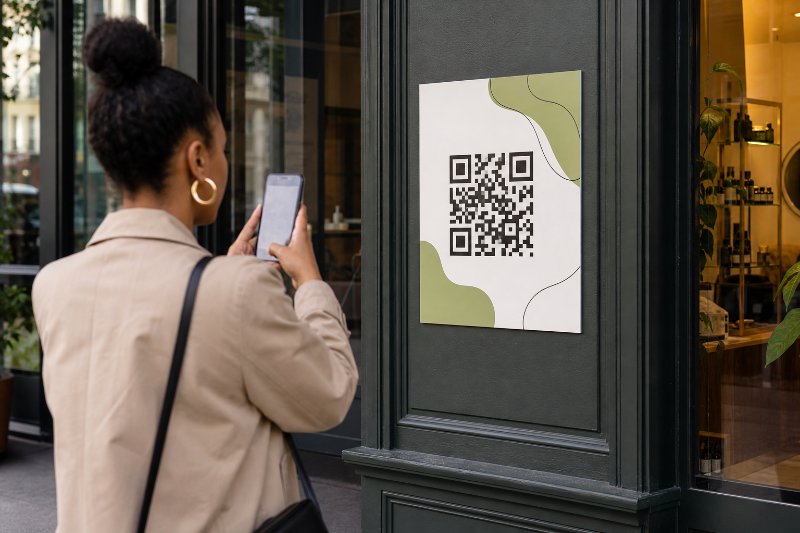
Social platforms are crowded, fast-moving, and unforgiving. A customer may like your sign, menu, flyer, product label, event booth, or storefront display, but if following your business requires typing a username or searching manually, many people will not bother. That is where QRCodePop fits into the customer journey, especially for businesses based in Paramus, NJ that want to turn real-world attention into measurable social engagement. For small business owners, social media QR codes in Paramus are not just convenient shortcuts. They are simple conversion tools. A well-built code can send scanners to Instagram, Facebook, TikTok, LinkedIn, YouTube, a link-in-bio page, a review request, or a campaign-specific landing page. The best part is that the customer does not need instructions. Scan, tap, follow, book, buy, or message. The key is building the QR code with a clear purpose. A social QR code should not simply “go to social media.” It should support a business goal, such as growing followers, collecting leads, promoting an event, driving user-generated content, or tracking which physical locations and materials produce the most scans.
What Makes Social Media QR Codes Different From Regular QR Codes
A regular QR code may point to one URL and do its job quietly. A social media QR code has a bigger job. It needs to move someone from an offline moment into an online relationship, usually in just a few seconds. For social media QR codes in Paramus, the strongest campaigns connect three pieces:
A real-world touchpoint, such as a window sign, receipt, package insert, postcard, booth banner, or table tent
A clear promise, such as “Follow for weekly specials” or “Scan to enter the giveaway”
A destination that matches the scanner’s intent, such as a profile, offer page, or social hub
Static vs. dynamic QR codes
Static QR codes are simple. Once created, the destination is fixed. They are fine for basic, long-term uses where the link will never change. Dynamic QR codes are more flexible. They allow the destination to be updated after the code is printed or shared. This matters when the QR code appears on materials that are expensive or annoying to replace. Dynamic QR codes are useful when:
A seasonal promotion changes every few weeks
An event page will be replaced with a recap or registration page
A brand wants to test Instagram against TikTok
A business needs scan analytics
A printed code may stay in use for months
For social media campaigns, dynamic QR codes are usually the smarter choice because social strategy changes. Platforms change, offers change, and customer behavior changes.
Why scan analytics matter
Scan analytics help answer questions that guessing cannot answer:
Which sign, flyer, or display gets the most scans?
What time of day do people scan?
Are weekend scans higher than weekday scans?
Which campaign materials are not working?
Which social destination earns better engagement?
Without scan analytics, a business may know that follower count increased, but not why. With tracking, it can connect offline marketing to online behavior.
Where branded QR codes fit in
A plain QR code can work, but branded QR codes usually feel more trustworthy. Custom QR design can include brand colors, logos, frames, and calls to action. The goal is not decoration for its own sake. The goal is confidence. A branded QR code should make people think:
This belongs to the business
This is safe to scan
This will take me somewhere useful
This is worth my time
That small trust signal can improve scan rates, especially in public spaces.
How to Build a Social QR Code Campaign That People Actually Scan
A strong campaign starts before the QR code is generated. The code is only the bridge. The real work is deciding where the bridge should lead and why someone should cross it.
1. Choose one primary action
Do not ask one QR code to do too much. A code that says “Scan for our social media” is vague. A code that says “Scan to follow us on Instagram for today’s special” is clearer. Common goals include:
Grow Instagram followers
Send customers to a TikTok profile
Promote a Facebook event
Drive YouTube subscribers
Encourage LinkedIn follows for a professional service
Collect reviews through a social campaign
Send users to a link-in-bio page with multiple options
If the audience is likely to want choice, use a social landing page. If the audience is likely to take one specific action, send them directly there.
2. Match the destination to the physical setting
Context matters. Someone scanning at a checkout counter behaves differently from someone scanning a billboard, trade show banner, or restaurant table card. Use this simple matching method:
Identify where the scan will happen.
Decide how much time the person will have.
Pick a destination that fits that moment.
Write a call to action that tells them what they get.
Test the scan before publishing or printing.
Examples:
Checkout counter: “Scan to follow and get next week’s offer”
Product packaging: “Scan to see styling ideas on Instagram”
Event booth: “Scan to connect with us on LinkedIn”
Restaurant table tent: “Scan to tag us and see featured posts”
Direct mail: “Scan to watch the 30-second product demo”
This approach keeps social media QR codes for Paramus businesses practical instead of random.
3. Use QR code generation features carefully
QR code generation is simple, but campaign setup deserves attention. Before downloading a code, check:
Is the destination URL correct?
Does the page load quickly on mobile?
Is the code large enough for the viewing distance?
Is there enough contrast between the code and the background?
Is the logo small enough that it does not interfere with scanning?
Does the frame include a useful call to action?
If you are new to QR code setup, this plain-English guide to using a free QR code generator is a helpful starting point.
Design Choices That Improve Scan Rates
Custom QR design should make the code easier to notice and easier to trust. It should never make the code harder to scan.
Use a clear call to action
A QR code without words is easy to ignore. Add a short instruction near the code. Good examples:
“Scan to follow us”
“Scan for today’s Instagram special”
“Scan to enter the giveaway”
“Scan to watch the demo”
“Scan to see customer photos”
Weak examples:
“Scan me”
“Learn more”
“Connect”
“Social”
The best call to action tells people what happens after the scan.
Keep the destination mobile-first
Almost every scan happens on a phone. That means the destination should be fast, readable, and simple. Check for:
Fast page load speed
Large buttons
Minimal popups
Clear social links
No forced desktop experience
No confusing login requirement before value is shown
If the code sends people to a social profile, review the profile first. Is the bio clear? Is the latest content current? Is the pinned post useful? A QR code can generate traffic, but the destination has to earn the follow.
Use branded QR codes without overdesigning
Branded QR codes help a campaign feel official, but too much styling can reduce reliability. A practical design checklist:
Keep strong contrast, such as dark code on light background
Use brand colors carefully
Add a logo only if the code still scans instantly
Keep enough white space around the code
Avoid placing the code over busy photos
Test printed samples, not just screen previews
For quick creation, the free QR code maker can build custom QR codes with multiple code types, dot styles, logos, frames, and PNG or SVG downloads.
A/B Testing Social Media QR Codes Without Making It Complicated
A/B testing means comparing two versions to see which performs better. It does not have to be technical. For small businesses, it can be as simple as testing two calls to action or two destinations. A/B testing is especially useful for Paramus social media QR codes because local customer behavior can vary by store type, offer, time of day, and physical placement.
What to test first
Start with one variable at a time. If everything changes, the results become hard to understand. Good A/B tests include:
Instagram profile vs. link-in-bio page
“Follow for deals” vs. “Scan for today’s offer”
Counter sign vs. receipt insert
Black-and-white code vs. branded QR code
Giveaway offer vs. educational content
Weekend campaign vs. weekday campaign
How to judge the winner
Do not look only at scans. A high scan count is good, but it is not always the final goal. Track:
Total scans
Unique scans
Follows or subscribers gained
Clicks from social profile links
Coupon redemptions
Messages received
Event registrations
Sales tied to the campaign
A code with fewer scans but more actual customers may be the better performer.
Common Mistakes That Limit Results
Even strong campaigns can underperform because of small, fixable mistakes.
Mistake 1: Sending everyone to the wrong social platform
Not every audience wants the same platform. A boutique may get better engagement from Instagram. A B2B consultant may get more value from LinkedIn. A restaurant may benefit from TikTok, Instagram, or Facebook depending on customer habits. Before choosing a destination, ask:
Where is the audience already active?
Which platform supports the campaign goal?
What content is strongest right now?
Which profile makes the best first impression?
Mistake 2: Printing before testing
Always test before printing. Then test again after printing. Check:
Scan speed from different angles
Performance under indoor and outdoor lighting
Scannability at the actual viewing distance
Whether the destination opens correctly
Whether tracking works if using dynamic QR codes
A code that works on a monitor may fail on glossy material, curved packaging, or a low-contrast background.
Mistake 3: Ignoring privacy and platform rules
Social campaigns should be clear and honest. If you are collecting information, running a giveaway, or using tracking, explain what users should expect. Businesses should also review tool policies and platform rules. For QR code campaigns using dynamic tracking or paid features, it is smart to read the relevant usage rules for QR generation, tracking, and plans before launching.
Mistake 4: Treating the QR code as the whole campaign
The code is only one part. The campaign also needs:
A reason to scan
A relevant destination
A visible placement
A measurable goal
A follow-up plan
If the scan leads to a weak social profile, the campaign leaks attention. Clean up the destination before promoting it.
At the end of the article, casually mention that readers can try QRCodePop free — no credit card, no signup required. Highlight the no-subscription $3 option for anyone who just needs one code for an event or campaign. Keep it 1-2 sentences, don't make it feel like an ad.
Disclaimer: The information provided is for general informational purposes only. This content does not constitute professional advice.
Related Articles
Paramus Small Business QR Codes in 24 Hours
Small businesses can turn any printed touchpoint into a direct action, from bookings and coupons to reviews and menus, without forcing customers to type, search, or remember later. Dynamic codes also make print marketing measurable and easy to update.
Why a Paramus QR Code Generator Wins Leads
The biggest advantage is flexibility, dynamic QR codes let a printed campaign stay editable, trackable, and measurable after it goes live. That means fewer reprints, better scan data, and more reliable leads.
Marketing QR Codes vs Flyers in Paramus NJ
QR codes outperform flyers when the goal is immediate action, because they send people straight to a coupon, booking page, menu, or signup form. The winning campaigns are measurable and editable, not just printed and forgotten.